

Jeevan Pramaan is a biometric-enabled digital service for pensioners of the Government of India, allowing them to generate a Digital Life Certificate (DLC). This service can be availed through the Jeevan Pramaan Mobile App, making it more convenient for pensioners to submit their life certificates without physically visiting a bank or pension office.
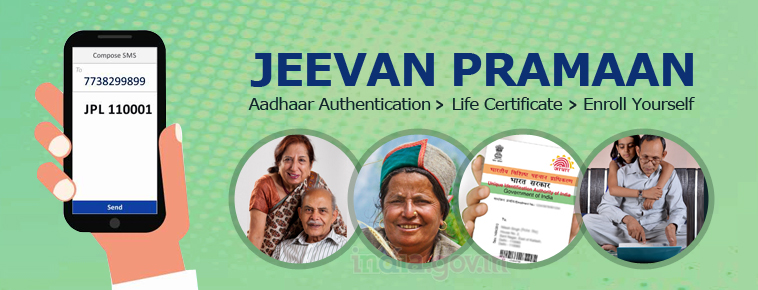
Steps to Generate Jeevan Pramaan Through the Mobile App
- Download the Jeevan Pramaan App:
- The Jeevan Pramaan app is available on the Google Play Store for Android devices. It is important to use an Android device that supports OTG (On-The-Go) connectivity for connecting a biometric device.
- Prerequisites:
- An Aadhaar number.
- A Pension Payment Order (PPO) number.
- A valid mobile number.
- A biometric device for fingerprint or iris scanning, compatible with the app.
- Registering on the Jeevan Pramaan App:
- Open the app and register using your Aadhaar number, PPO number, bank account details, and other relevant information.
- You will receive an OTP (One Time Password) on your registered mobile number to verify your Aadhaar details.
- Biometric Authentication:
- After registering, connect the biometric device (fingerprint or iris scanner) to your mobile phone.
- The app will prompt you to perform biometric authentication using the connected device.
- Place your finger on the fingerprint scanner or use the iris scanner as directed.
- Generate Digital Life Certificate (DLC):
- Upon successful biometric authentication, the app generates the Digital Life Certificate (Jeevan Pramaan Patra).
- You will receive a Pramaan ID that can be used to check the status of your DLC.
- Submission of DLC:
- The generated DLC is automatically shared with the pension disbursing agency, such as banks, the post office, or other government offices.
- Pensioners do not need to physically visit their pension disbursing agency for submission.
- Checking DLC Status:
- You can check the status of your Digital Life Certificate on the Jeevan Pramaan website https://jeevanpramaan.gov.in/ by entering your Pramaan ID or Aadhaar number.
Benefits of Using Jeevan Pramaan App
- Convenience: No need to visit the bank or pension office to submit the life certificate.
- Ease of Use: Simple mobile app interface and process for generating DLC.
- Digital Record: The certificate is stored digitally, reducing paperwork and the chance of loss.
- Accessibility: Pensioners living in remote areas can easily use the service without traveling.
Important Points to Remember
- Make sure your Aadhaar is linked to your pension account.
- Ensure the mobile device is OTG-supported and compatible with the biometric device.
- You may need to purchase a biometric device separately if you do not have one.